
Messages Text SMS
Messages SMS Text MessengerCommunication
4.2293.00 Reviews
- Version
- 1.4.4
- Installs
- 1.00M
- Age Rating
- Everyone
Screenshots
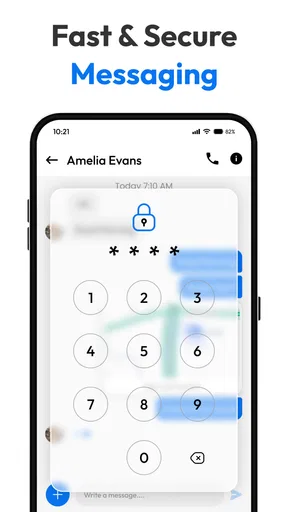
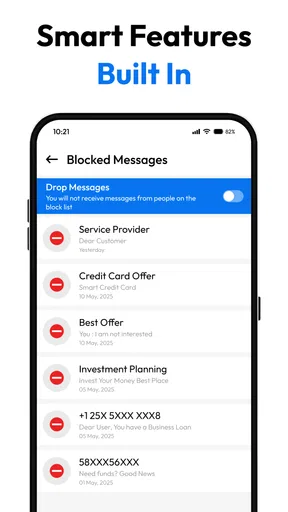
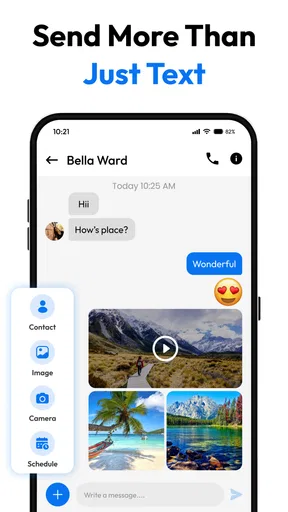
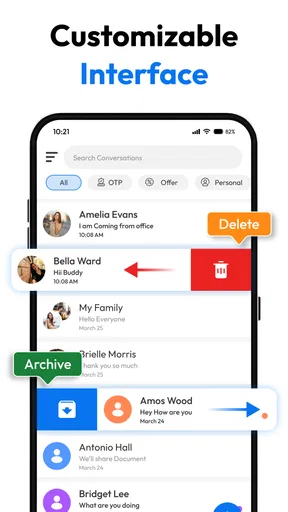
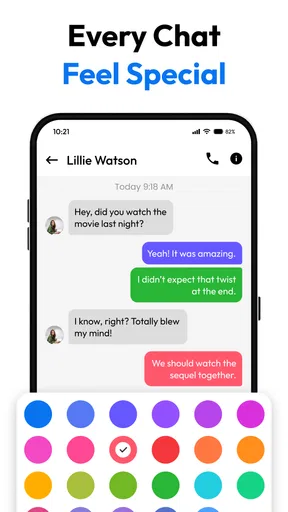
Our Review of Messages Text SMS
 Analysis by Appyee
I came away from Messages Text SMS with a fairly clear impression: it is a practical replacement for a phone’s standard texting tool, aimed at people who want more control over ordinary SMS conversations without moving to a completely different messaging network. Its appeal is not that it reinvents texting. Instead, it gathers useful extras such as themes, backup tools, and scheduled messages around the familiar SMS format. That makes it easier to understand than a full social messaging platform, while still giving it more personality than many built-in apps.
I tested it with the mindset of someone who sends regular texts every day rather than someone looking for an all-in-one chat service. In that role, the app feels approachable and focused. You can still use it for the simple things people rely on texting for—quick updates, reminders, family messages, and conversations with contacts who do not share the same internet messaging service. The important question is whether its added customization and organization are worth switching away from the default messenger. For many users, I think they will be; for others, the change may introduce more setup than benefit.
What makes this SMS app useful in daily life
The first strength is its narrow purpose. Messages Text SMS is a communication app from Messages SMS Text Messenger, and it concentrates on text messaging instead of trying to become a social feed, video calling service, or broad collaboration platform. That focus matters because the best SMS replacement should not make a simple message feel like a complicated task. I found the basic idea easy to grasp: open a conversation, write a text, and use the additional tools when they actually help.
The app is free to install, which lowers the risk of trying it as a replacement for the default option. It is rated for Everyone, so its presentation is intended for a broad audience rather than a niche group. The current release is version 1.4.1, and the app requires Android 11 or later. That operating-system requirement is worth checking before switching, especially if you are using an older phone that still handles the built-in messaging app perfectly well.
Its reception is encouraging without being a reason to ignore your own needs. The app holds a 4.3 average from around 3.6 thousand ratings, with over 500 thousand installs. I read those figures as evidence that the concept has found an audience, not as proof that it will suit every phone or texting habit. A replacement messenger is highly personal: notification behavior, contact handling, backup expectations, and the way it fits into your phone can matter more than a store score.
Themes make ordinary texting feel less rigid
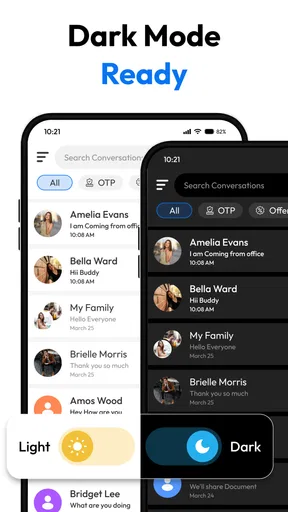
Themes are one of the more visible reasons to try this app. A default SMS application often gives you little choice about how conversations look, which can make the experience feel dated or impersonal. Here, the ability to adjust the visual style gives the inbox a more deliberate feel. I especially see the value for someone who spends a lot of time in text threads and wants the interface to feel calmer, brighter, or simply different from the factory design.
There is a trade-off, though. Customization is useful only when it improves readability. A decorative appearance can become tiring if message bubbles, backgrounds, or contrast make scanning harder. My practical advice is to choose a theme for long-term comfort rather than selecting the most eye-catching option on the first launch. A messaging app is opened during rushed moments, often outdoors or while multitasking, so legibility should come before novelty.
Themes can also help distinguish this app from the phone’s original messenger if you use both during a transition. That is a small but meaningful detail: a visibly different interface reduces the chance of composing a message in the wrong place while you are learning the new workflow. I would still move fully to one app once satisfied, because splitting conversations between two SMS clients can make it harder to remember where a thread was last viewed.
Backup is more valuable than it first appears
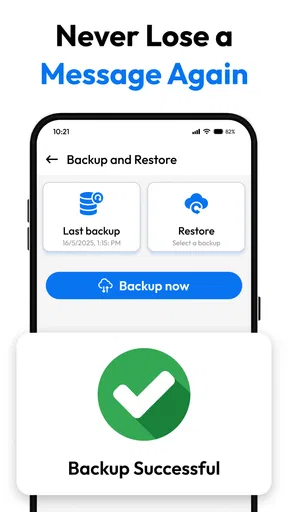
The backup option is the feature I consider most important for people who keep years of conversations. Text histories can contain addresses, delivery details, appointment information, family decisions, and personal memories. A messaging app that treats those conversations as something worth preserving is more useful than one that focuses only on appearance. Even if you rarely think about backup, changing phones is exactly when this kind of tool becomes important.
My recommendation is to plan the backup step before you make Messages Text SMS your permanent messenger. Look through the available backup controls, decide what you want to preserve, and make a habit of checking that your chosen process still works after a major phone change. Do not wait until an old device is damaged or reset. The practical strength here is not simply having a backup label in the feature set; it is encouraging you to treat SMS history as data that deserves a deliberate plan.
This is also where expectations should stay realistic. A backup tool does not automatically make every transition effortless. Your contacts, phone settings, notification preferences, and other app data may still require separate attention when moving to another device. I would use the app’s backup capability as one part of a migration checklist rather than assuming it replaces every step involved in changing phones.
Scheduled messages solve a very specific problem well
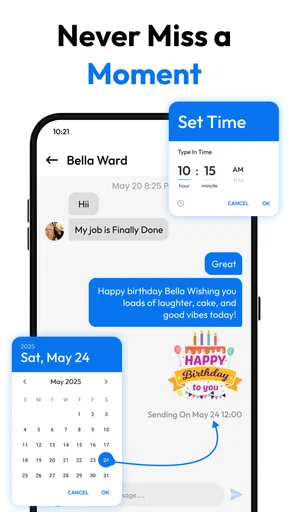
Scheduled sending is another feature with a clear everyday purpose. I can see myself using it for a birthday message prepared in advance, a reminder to someone who is likely to be busy, or a note that should arrive at a sensible hour rather than immediately. It is particularly useful when I know what I want to say but do not want to rely on memory later.
The best workflow is to write the message while the thought is fresh, choose the intended time carefully, and then review the conversation before leaving it scheduled. That final check matters because a planned text can become inappropriate if circumstances change. A reminder about an appointment may need editing, and a personal message may no longer fit the situation by the time it is due to send.
Scheduling also highlights a difference between an SMS replacement and internet-first chat services. Some people already have scheduling or reminder features elsewhere, but those tools may work only when the recipient uses the same platform. An SMS-focused app is more useful when the other person simply has a phone number. It is not a substitute for an encrypted internet messenger, but it can be the more practical choice for contacts who do not want another account or app.
A realistic family and workday example
Consider a typical weekday. I might receive a text from a family member asking me to remember a school pickup, reply to a service provider about an appointment, and later send a message to someone who does not use my preferred internet chat app. With the standard messenger, those tasks are possible, but they remain separate from any planning tools. In Messages Text SMS, a scheduled reminder and a backup routine make the same ordinary conversations easier to manage over time.
The benefit is cumulative rather than dramatic. The app does not remove the need to think about what I am sending, and it does not turn SMS into a modern social network. What it does is give routine texting a few more deliberate controls. For someone who sends only a handful of messages each week, that may not matter. For a person who relies on SMS for family coordination, appointments, and practical reminders, the small improvements can justify the switch.
How it compares with the default messenger
The default SMS app has one major advantage: it is already there, already familiar, and usually integrated into the phone’s expected behavior. If you never feel limited by its appearance or workflow, changing may not improve your day. There is a real cost to learning a new interface, granting the necessary access during setup, and making sure notifications behave as you expect.
Messages Text SMS earns its place by offering a more intentional experience. Themes address visual sameness, backup supports people who care about message history, and scheduling adds a planning function that many basic messengers do not emphasize. Those are meaningful differences, not merely a new color scheme. Still, the default app remains the better option for someone who values zero setup and has no interest in customization or scheduled texting.
Compared with internet messaging services, this app serves a different purpose. Services built around accounts, groups, media, calls, and internet delivery may be better for active communities or conversations involving photos and live interaction. Messages Text SMS is better when the requirement is simply to reach a phone number through traditional texting. I would not choose it as my only communication tool if most of my contacts expect rich group chats, voice calls, or platform-based privacy features.
Where the experience needs patience
The biggest weakness is the tension between extra features and the simplicity people expect from SMS. Every additional control can make the app more capable, but it can also make the first-use experience feel less immediate than the phone’s original messenger. Users who want to open an app and send a text without exploring settings may find themes, backup choices, and scheduling options distracting rather than helpful.
The Android 11 minimum is another practical limitation. It keeps the app focused on relatively recent Android devices, but it excludes older phones that may still be perfectly usable. If your device cannot install it, the default messenger is not necessarily inferior; it may simply be the realistic option for that hardware. I would check compatibility before planning a full migration, especially if the phone belongs to an older family member.
There is also a financial detail to keep in mind. The app is free, but in-app purchases range from forty-nine cents to ninety-nine dollars and ninety-nine cents per item. That does not automatically make it poor value, yet it means you should pay attention during optional upgrades and decide which extras you genuinely need. My view is that a free entry point is welcome, while careful reading of purchase prompts is sensible for anyone who wants a straightforward messaging tool without unexpected spending.
Another limitation is that customization can create maintenance work. Once you personalize an app, you may spend time adjusting it again after changing phones or resetting settings. The same applies to scheduled messages: they are convenient, but they require checking when plans change. These are not flaws unique to this app, but they are important trade-offs that a short store summary cannot show. The app gives you more control, and control works best when you are willing to manage it.
Who should install it, and who should skip it
I would recommend Messages Text SMS to someone who uses regular texting as a serious part of daily communication and feels constrained by a bland or limited default messenger. It is especially suitable for people who want a more personal interface, need a better habit around preserving conversations, or regularly prepare messages that should be sent later. Families coordinating schedules through ordinary phone numbers are a strong fit, as are users who communicate with a mixture of Android owners, iPhone owners, and people who avoid installing extra chat services.
It is also a reasonable choice for someone moving to a new Android phone who wants to make message history part of the transition plan. The key is to explore the backup process before the old phone is retired. That single preparation step can make the app more valuable than its visual customization alone.
I would advise skipping it if your current messenger already does everything you need and you dislike changing familiar routines. I would also look elsewhere if your priority is encrypted internet chat, large media-heavy groups, voice and video calling, or a unified communication platform. This app is about improving SMS, not replacing every type of messaging. Users on Android versions below 11 should likewise stay with a compatible option rather than forcing a switch.
For people concerned about cost, the free installation makes experimentation reasonable, but I would use the app for a few days before considering any optional purchase. That gives you time to see whether the theme controls, backup workflow, and scheduling tools genuinely fit your habits. A feature is worth paying for only when it solves a problem you actually have.
My verdict after using it as an everyday SMS replacement
Messages Text SMS succeeds because it improves familiar texting without demanding that users learn an entirely new communication network. Its strongest qualities are practical: a more adjustable presentation, a reason to take message preservation seriously, and scheduled sending for moments when timing matters. Those features make a noticeable difference for organized texters, even though none of them changes the basic nature of SMS.
I would describe it as a thoughtful upgrade rather than an essential replacement for everyone. The default messenger remains simpler, and internet chat platforms remain stronger for rich conversations and group activity. This app sits between those choices: more flexible than a barebones SMS tool, but more focused than a broad social messenger.
My final recommendation is conditional but positive. If you want your ordinary texts to feel more manageable and personal, and your phone runs Android 11 or later, it is worth trying the free version. Start with a readable theme, examine the backup workflow before relying on it, and use scheduling for messages that benefit from deliberate timing. The best reason to choose it is not decoration; it is the combination of control and everyday practicality. For users who want only instant, no-setup texting, the built-in alternative may still be the better fit.
Overall, I see Messages Text SMS as a useful communication app for people who have outgrown the limitations of a standard SMS inbox but do not want to move all their conversations to an internet-based service. Its 4.3 average and growing user base suggest solid interest, while its free starting point makes the decision easy to test. Just approach it as a focused SMS upgrade, not as a replacement for every messaging tool on your phone.
Privacy and Permissions
See what permissions an app requests and how it handles your data.
- Contacts
- read your contacts
- Location
- approximate location (network-based), precise location (GPS and network-based)
- SMS
- read your text messages (SMS or MMS), receive text messages (MMS), receive text messages (SMS), send SMS messages, edit your text messages (SMS or MMS)
- Phone
- directly call phone numbers, read call log, read phone status and identity
- Photos/Media/Files
- read the contents of your USB storage, modify or delete the contents of your USB storage
- Storage
- read the contents of your USB storage, modify or delete the contents of your USB storage
- Camera
- take pictures and videos
- Device ID & call information
- read phone status and identity
- Other
- view network connections, full network access, run at startup, draw over other apps, prevent device from sleeping
Verdict
Strengths of Messages Text SMS
- Simple interface makes sending and reading SMS messages quick.
- Supports reliable communication without requiring mobile data.
- Conversation threads keep contacts and replies organized.
- Works with standard phone numbers and most mobile networks.
- Useful fallback when messaging apps or internet access are unavailable.
Limitations of Messages Text SMS
- SMS charges may apply depending on your carrier or mobile plan.
- Advanced features can vary between Android and iOS devices.
- Messages may be less secure than end-to-end encrypted chat apps.
- Large media files may be compressed or unsupported through SMS.
- Spam texts can still reach your inbox without strong filtering.
Similar Picks in This Category
View All
Google Messages
Google LLC4.6

Gmail
Google LLC4.1

Google Meet
Google LLC4.4

Google Chrome
Google LLC4.1

WhatsApp Messenger
WhatsApp LLC4.6

Carrier Services
Google LLC4.2
Frequently Asked Questions
What is Messages Text SMS, and what can I use it for?
Messages Text SMS is a mobile messaging application designed for sending and receiving traditional SMS and, depending on your device and carrier, multimedia messages such as photos, videos, and group texts. It can serve as an alternative to your phone’s default messaging app, offering a focused interface for managing conversations, contacts, notifications, and message settings in one place.
Does Messages Text SMS require an internet connection?
For standard SMS messages, Messages Text SMS generally uses your mobile carrier’s network rather than Wi-Fi or mobile data, so an internet connection is not normally required. However, multimedia messages, media downloads, backups, advertisements, or optional online features may use mobile data or Wi-Fi. Carrier charges can still apply, particularly for texts sent internationally or outside your plan.
Is Messages Text SMS free to download and use?
The application may be free to install, but sending messages is not necessarily free in every situation. Costs depend on your mobile plan, carrier, message type, and destination. Standard texts are usually covered by an SMS allowance, while picture messages, international texts, or premium numbers may incur additional charges. Check the app listing and your carrier’s terms before using it.
Is Messages Text SMS safe and private?
Messages Text SMS can provide basic protection through your device’s operating-system security, but traditional SMS is not end-to-end encrypted. Your carrier may process message content and metadata, and privacy practices depend on the application’s permissions, developer policies, and any third-party services it uses. Before installing, review requested permissions and avoid sending highly sensitive information through ordinary SMS.
What permissions does Messages Text SMS need, and can it replace my default messaging app?
To work correctly, Messages Text SMS may request access to SMS messages, contacts, phone functions, notifications, and storage or media files. These permissions allow it to display conversations, identify contacts, send texts, and attach photos. On many Android devices, you must set it as the default SMS app for full functionality; availability and behavior may vary by device and operating-system version.
